[Faculty] Section Management
THIS PAGE IS CURRENTLY BEING UPDATED.
HowTo: Enrolling Students | Inputting Student Attendance | Downloading Class and Grades List | Promoting Students
A Section is a unit for a set or group of students based on a common academic characteristic such as learning program and grade or year level. It is sometimes known as a "block", "section block", or a "block section".
Only a faculty member assigned as a section adviser will have sections listed in Homeroom Sections.
Managing a Section as a Faculty
A Grado Faculty, via the Faculty Portal, can do the following:
- Mark students as enrolled
- Input student attendance
- Download class list
- Download grades list
- Manage student promotion to the next grade level
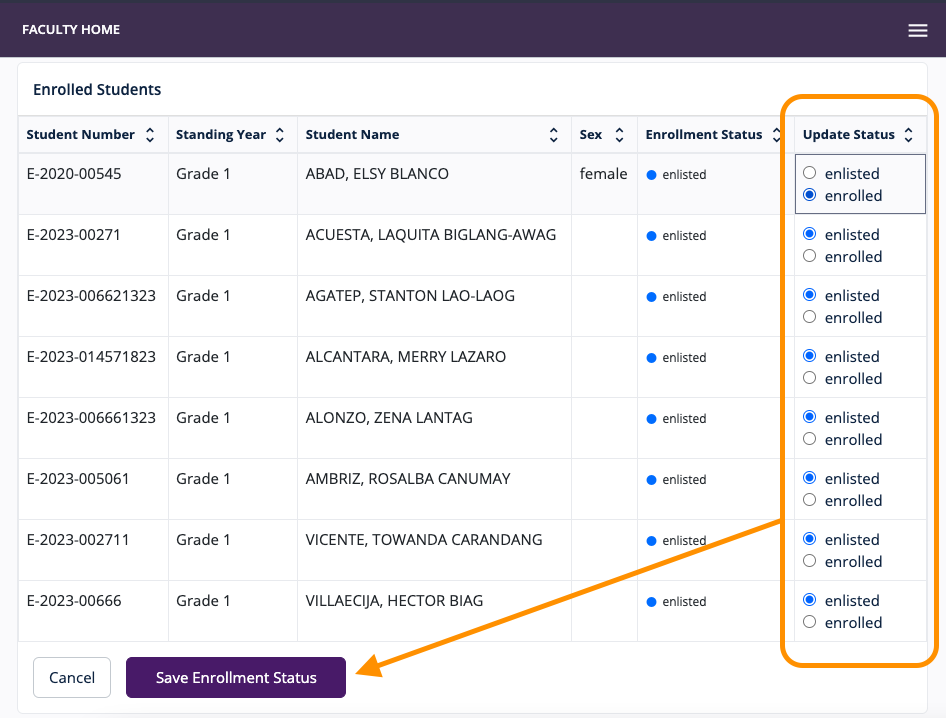
Enrolling students or marking students as enrolled
Prerequisite: Students should first be enlisted or added to a section by a Grado Admin. See Adding or enlisting students to a section.
- On the Faculty Dashboard or the navigation menu, go to Homeroom Sections.
Inputting student attendance
- On the Faculty Dashboard or the navigation menu, go to Homeroom Sections.
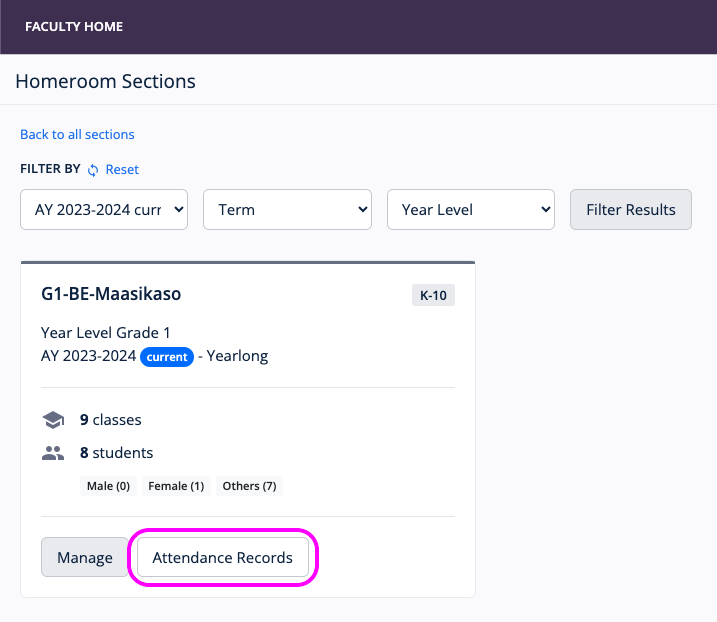
On the section page view, click Update Attendance Sheet.
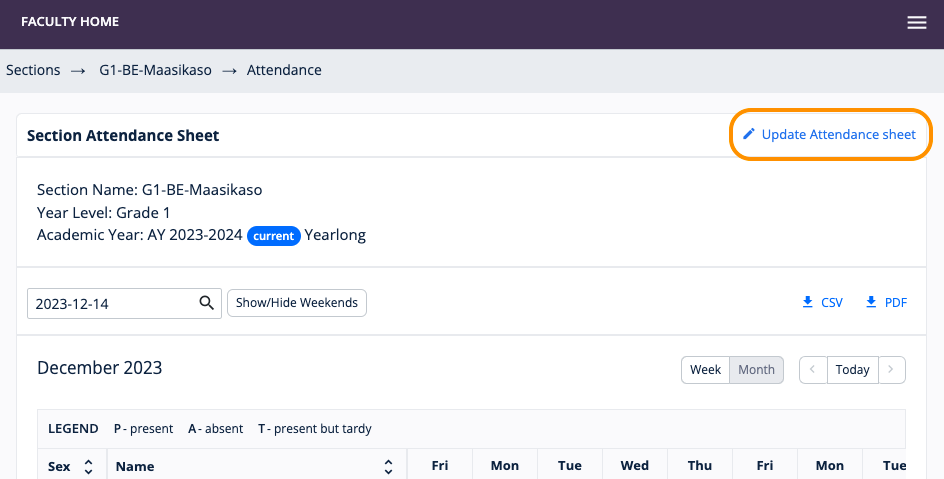
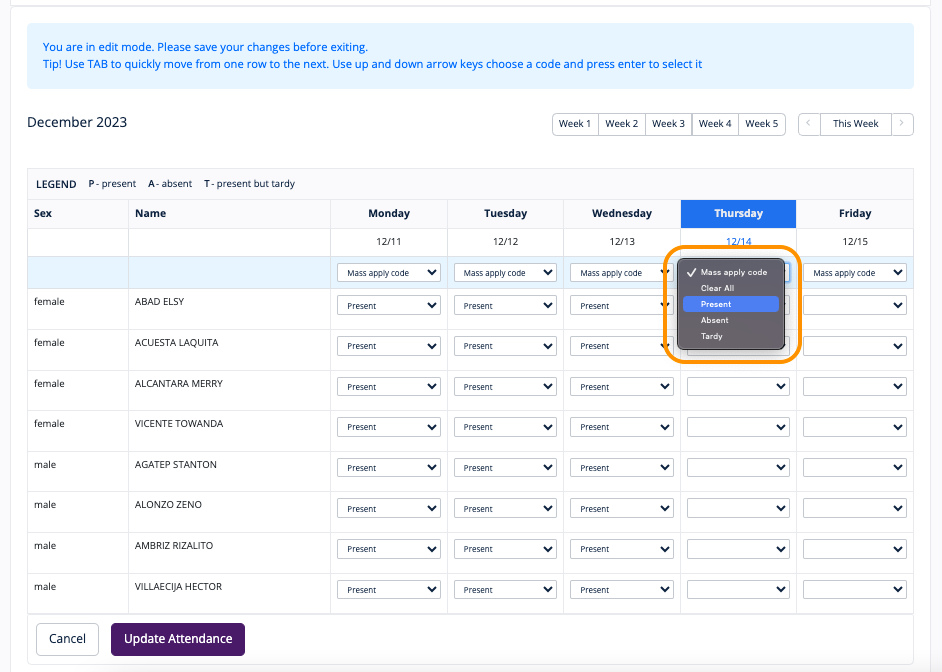
On the Update Attendance Sheet view, the section adviser has the option to --
-
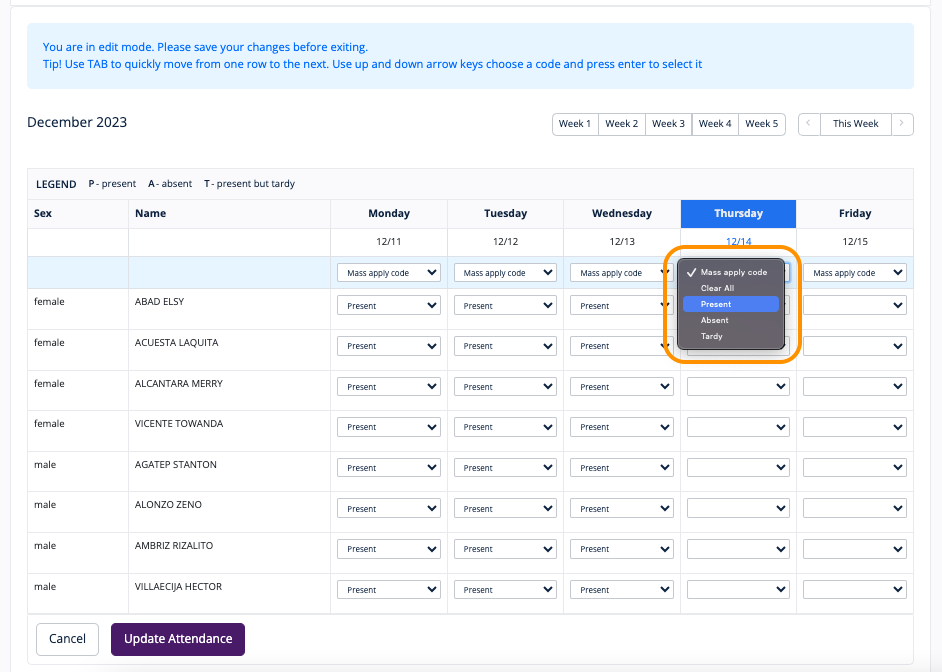
- Mass apply Present, Absent, Tardy, or Clear All a certain date's attendance record;
- Input or update a specific student's attendance record.
Creating a section
Editing a section
How to edit a section. (Enlarge video for better viewing)
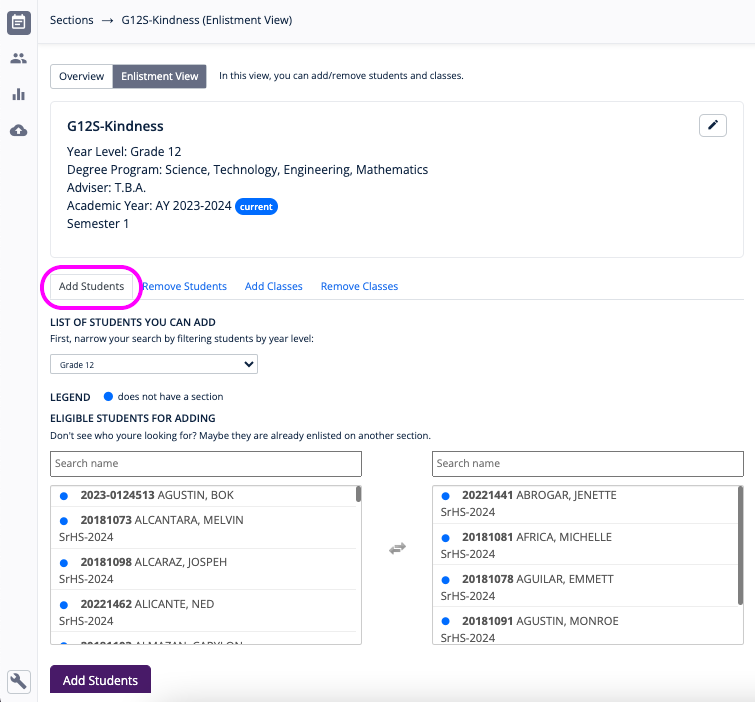
Adding or enlisting students to a section
- On the navigation menu, go to Management > Sections.
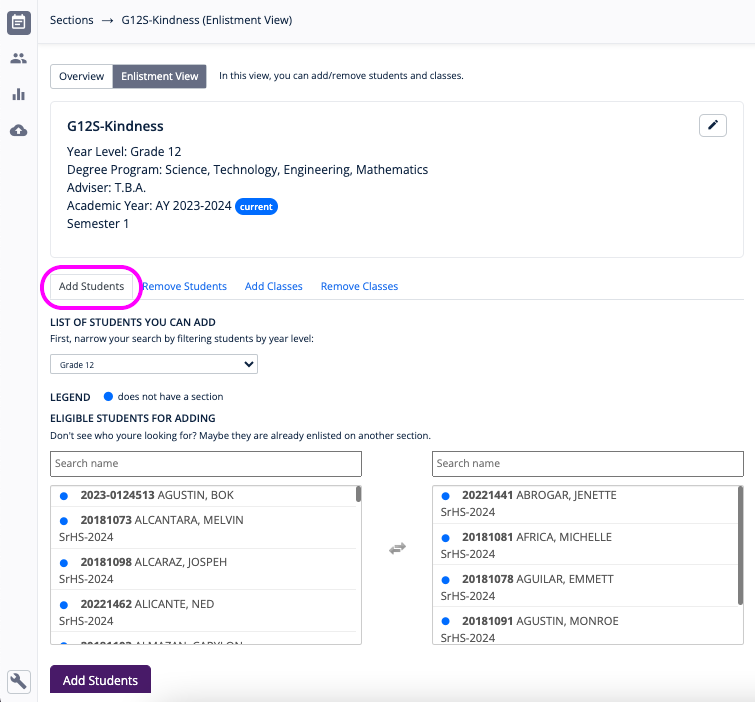
- Find the section to enlist students in and click Enlistment View.
- On the Add Students tab view, simply click or tap the name of the students to select.
- When done, click the Add Students button.
Removing or delisting students from a section
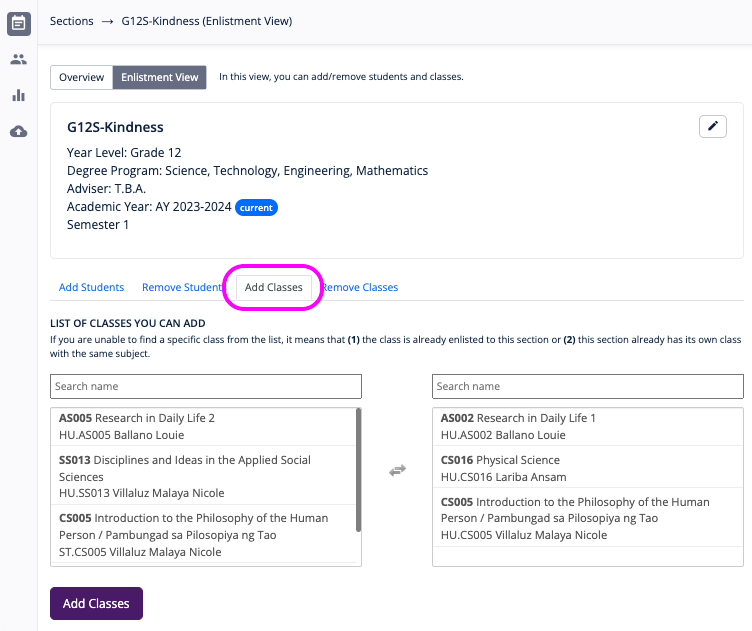
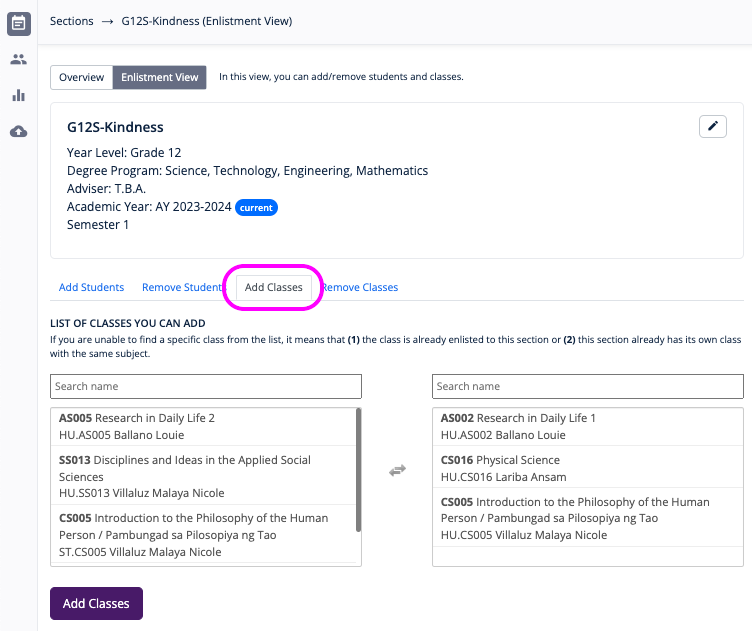
Adding classes to a section
- On the navigation menu, go to Management > Sections.
- Find the Section to add classes in and click Enlistment View.
- On the Add Classes tab view, simply click or tap the class name select.
- When done, click the Add Classes button.